Physical Address of the organisation needs to be displayed in the marketing emails sent. Castled provides an option to capture one or more physical address of an organisation and use it in the marketing campaigns or workflows.Documentation Index
Fetch the complete documentation index at: https://docs.castled.io/llms.txt
Use this file to discover all available pages before exploring further.
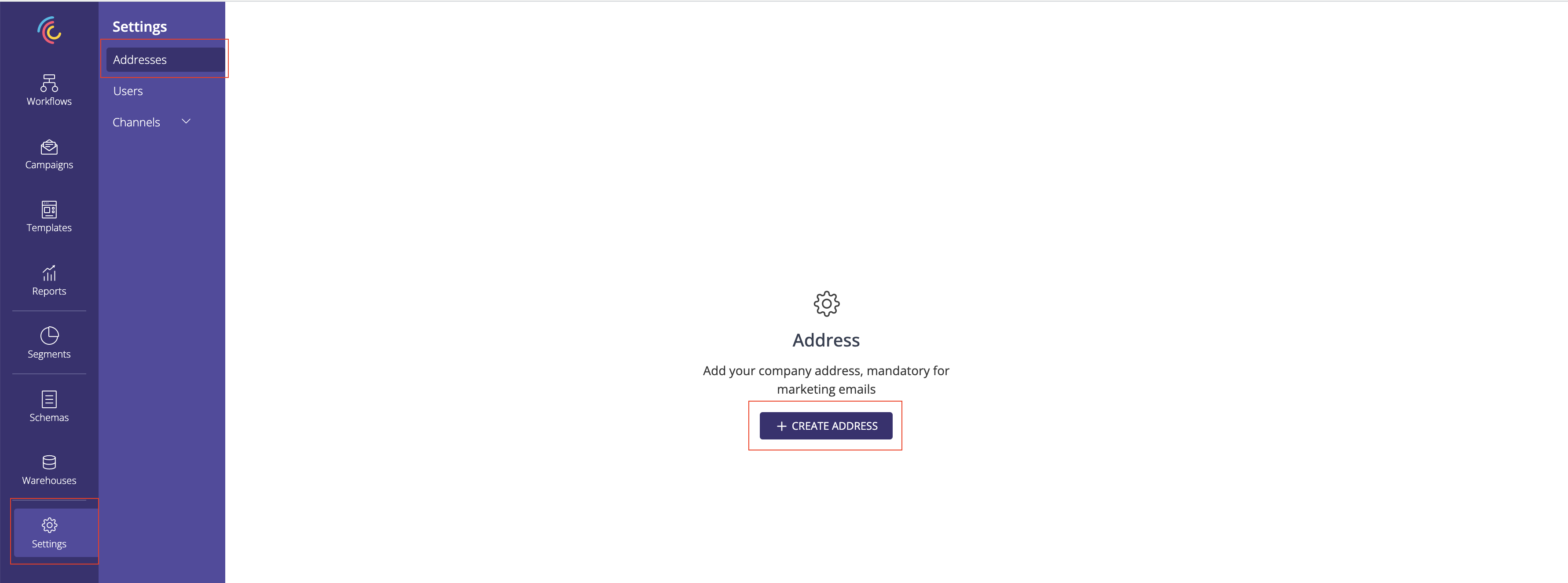
1. Go to the List Physical Address page from the menu and click CREATE ADDRESS button.
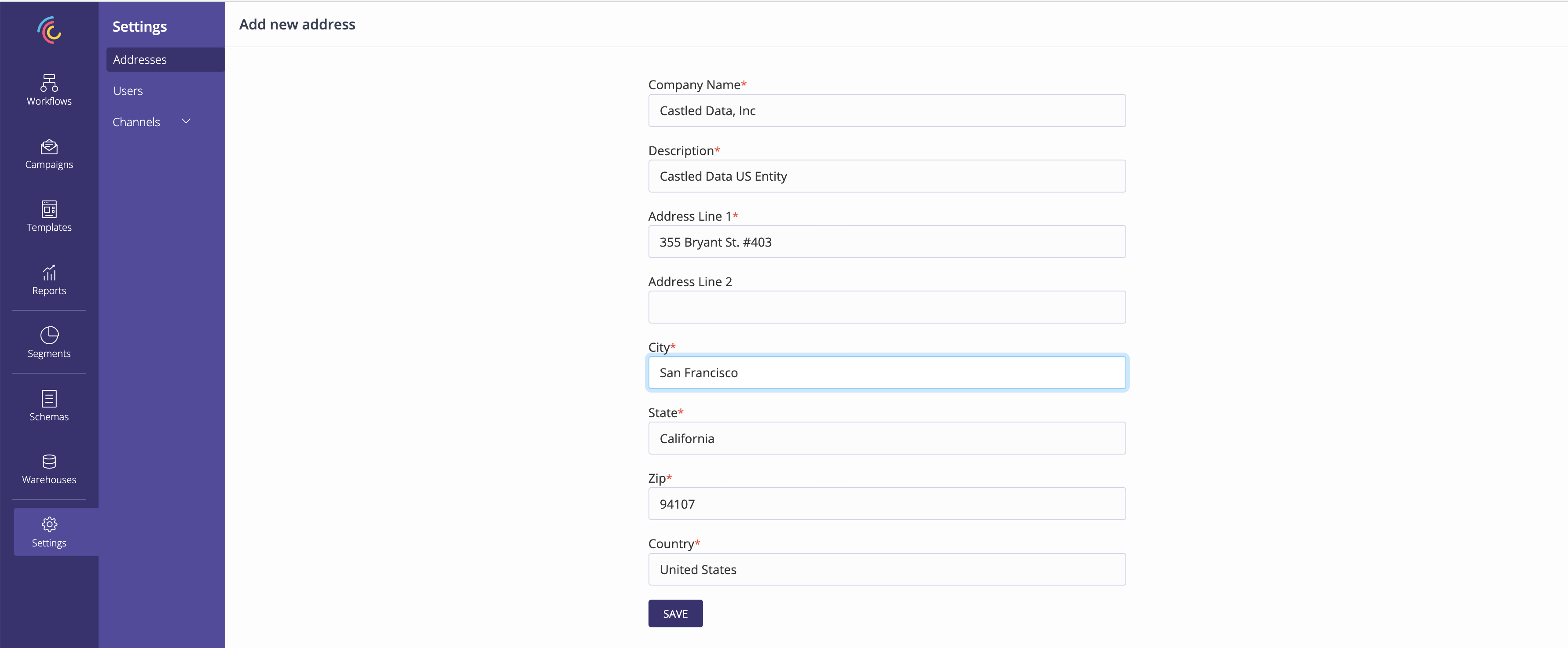
2. Capture the physical address details.
3. Save the physical address.
Capture all the mandatory fields and submit the physical address.
4. Physical address is listed in the List page.
5. One of the physical address needs to be marked as default.
