

Documentation Index
Fetch the complete documentation index at: https://docs.castled.io/llms.txt
Use this file to discover all available pages before exploring further.
Creating Campaign
Start by creating a new campaign. Select In-App as the channel type.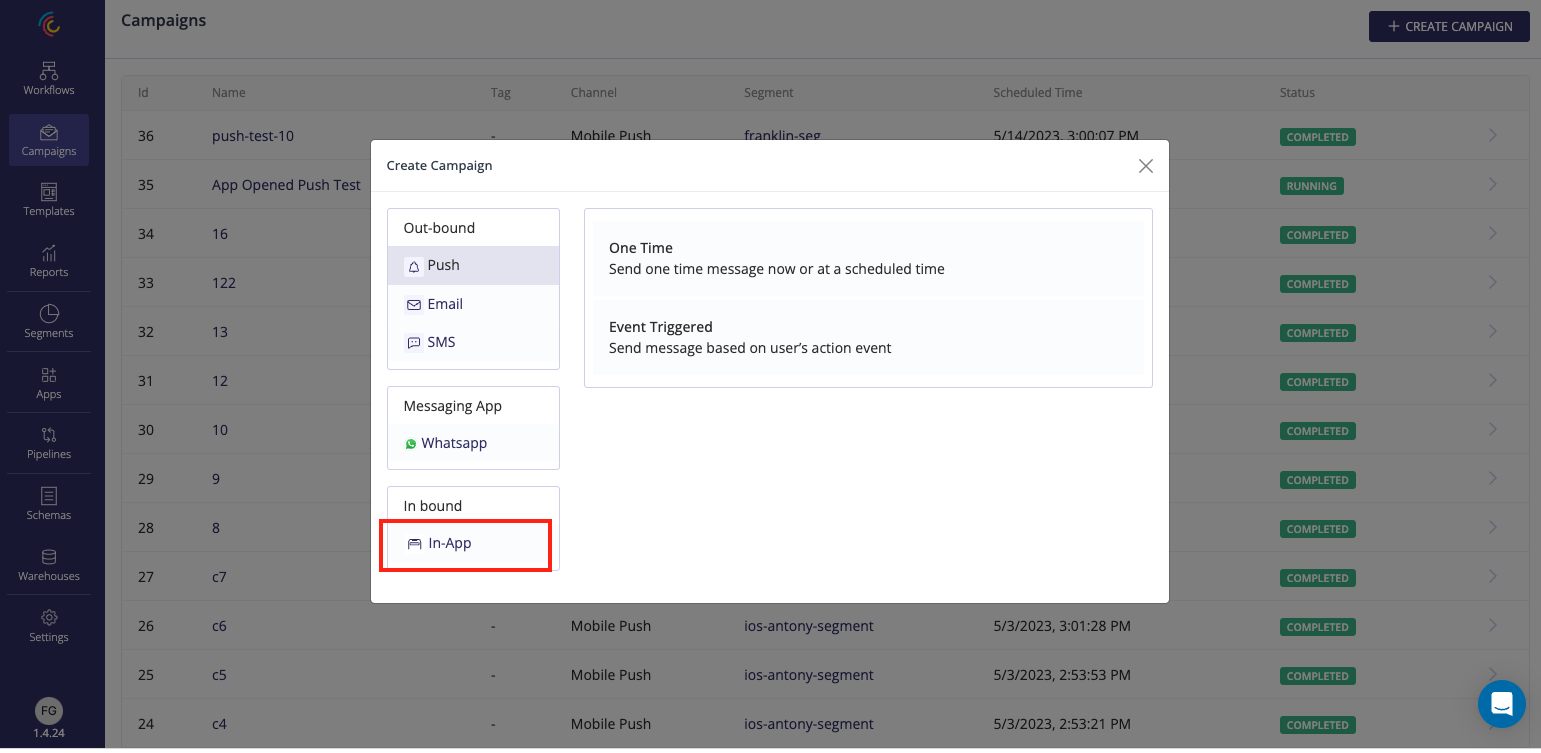
Composing In-App Message
First step is to select the message type. It can be one of the Modal, Banner/Slide-Up, FullScreen or Custom HTML types.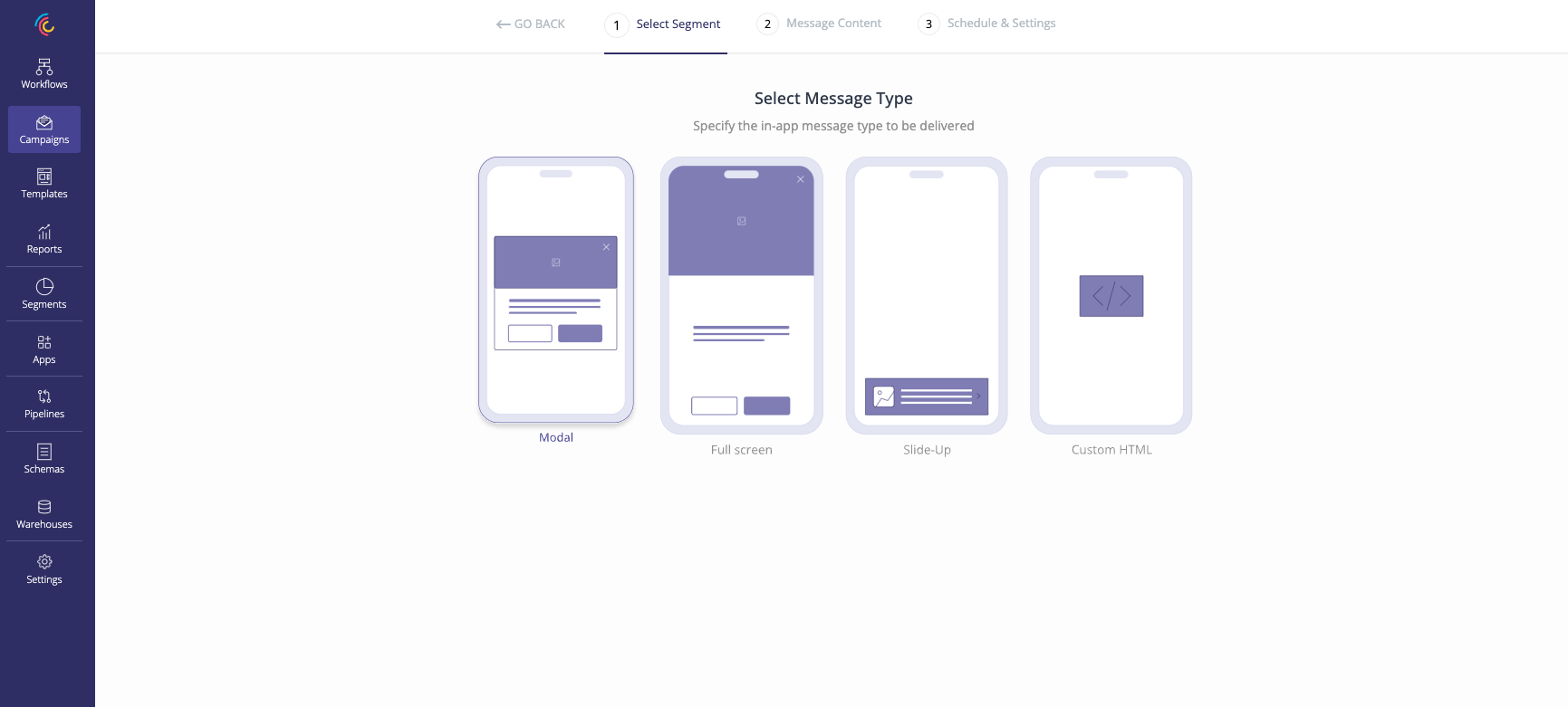
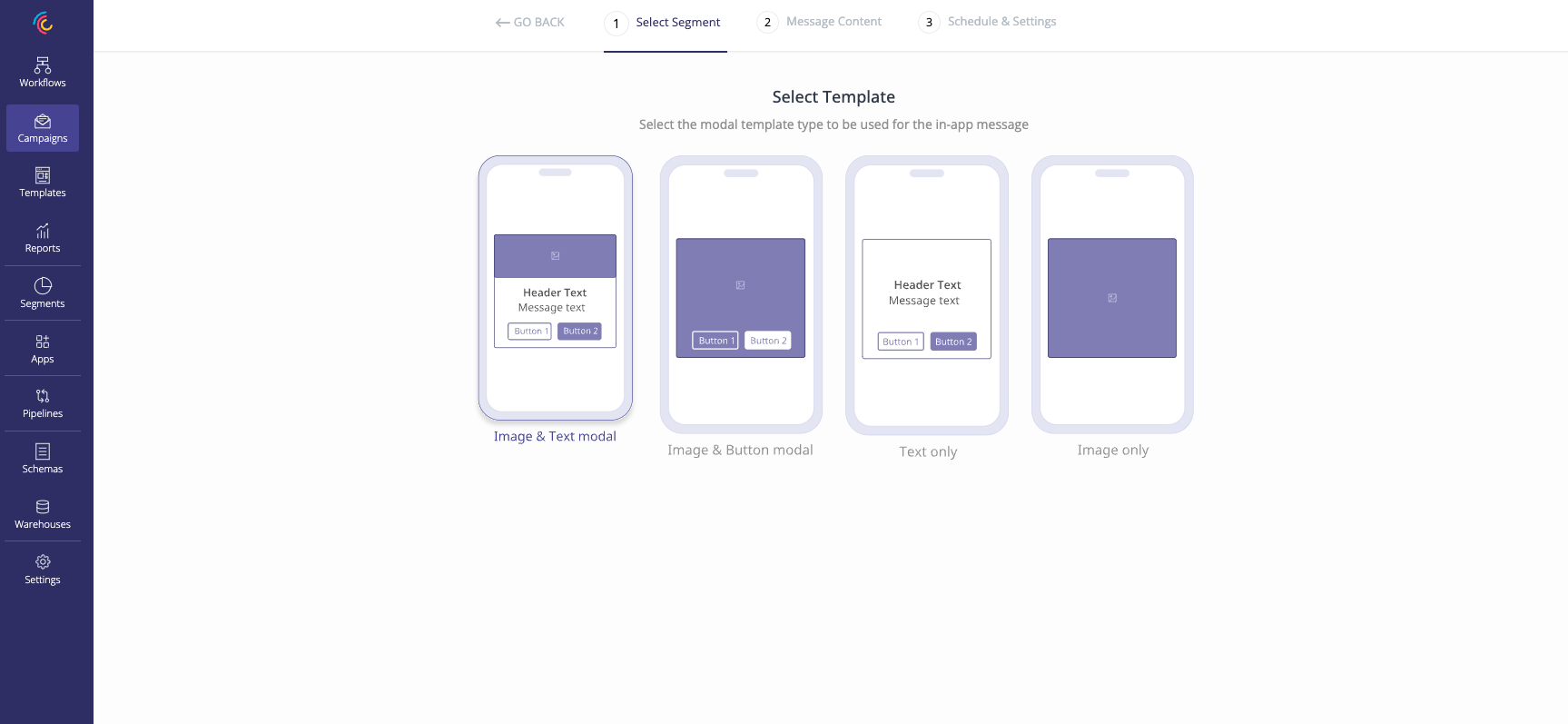
on how the message appears on the end devices.
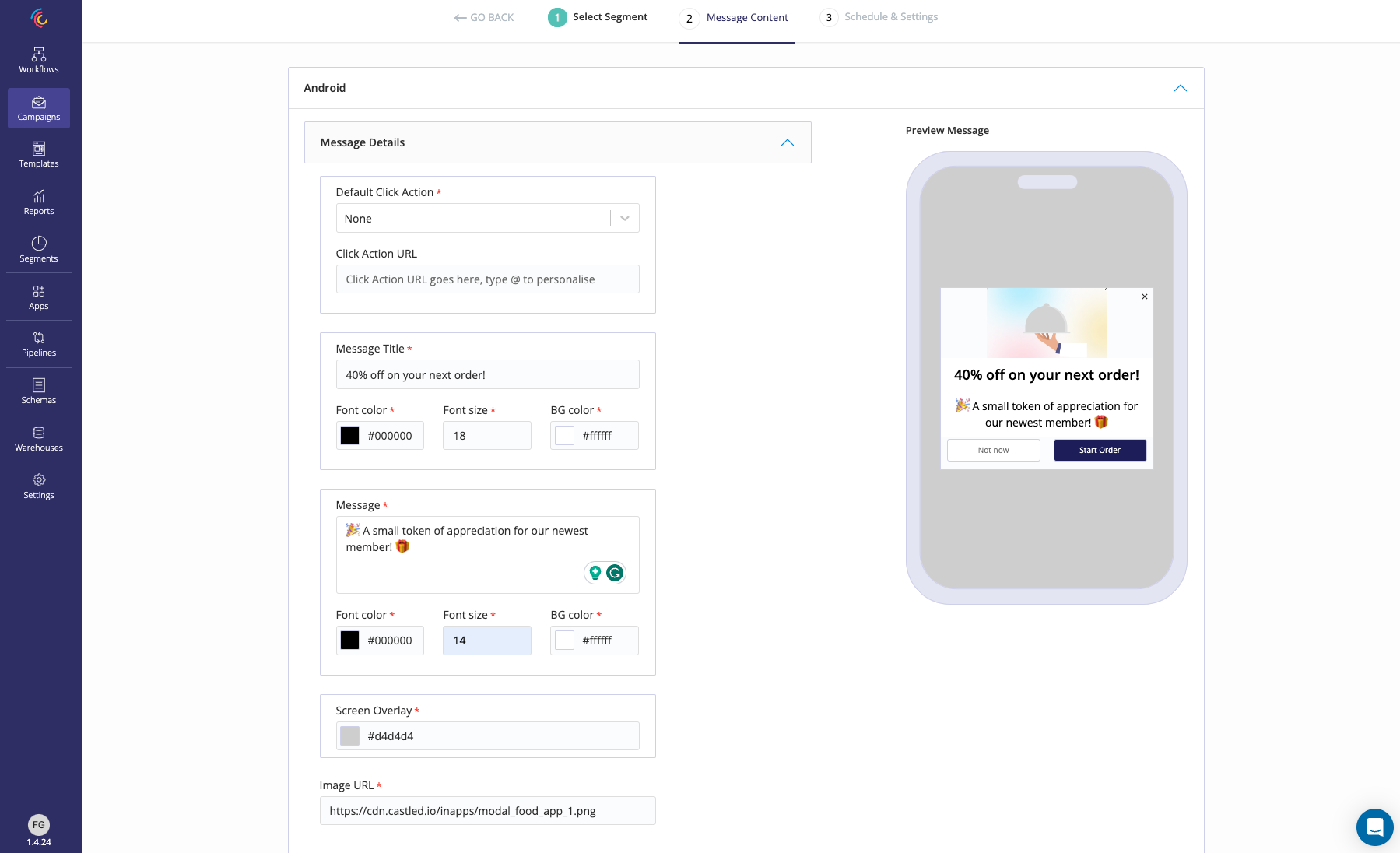
- Message Details - Includes all the text and graphic content of the in-app message.
- Action Buttons - They provide options to define CTAs for the message being delivered.